Plain “Lauren” sitting in your Instagram bio versus 𝓛𝓪𝓾𝓻𝓮𝓷 looping across the top of your profile: same name, completely different energy, and one of them stops the scroll. You paste your normal text, and the tool spits back fancy cursive, padded bubble letters, heavy gothic, glitched-out chaos, or upside-down weirdness you can copy straight into a bio, a Discord name, or a gaming tag. No app, no sign-up, just a swap of Unicode characters that looks different but still reads as your name. A strange text generator is the fastest way to give a plain username or group chat name a vibe people actually notice.
What a Strange Text Generator Actually Does
You type or paste normal text. The tool restyles your letters into fancy, glitched, or oddball versions and hands them back ready to copy anywhere. That’s it. No download, no account.
Under the hood, it isn’t installing a font. It’s swapping your regular letters for lookalike Unicode characters that already live in the global character set, so your “A” becomes a mathematical script “𝓐” or a circled “Ⓐ” that travels with the text wherever you paste it. Most generators preview dozens of styles live, and you click the one you want. That’s why a styled name copies cleanly into an Instagram bio one minute and a Discord nickname the next.
Copy-Paste Style Categories You Can Use Tonight
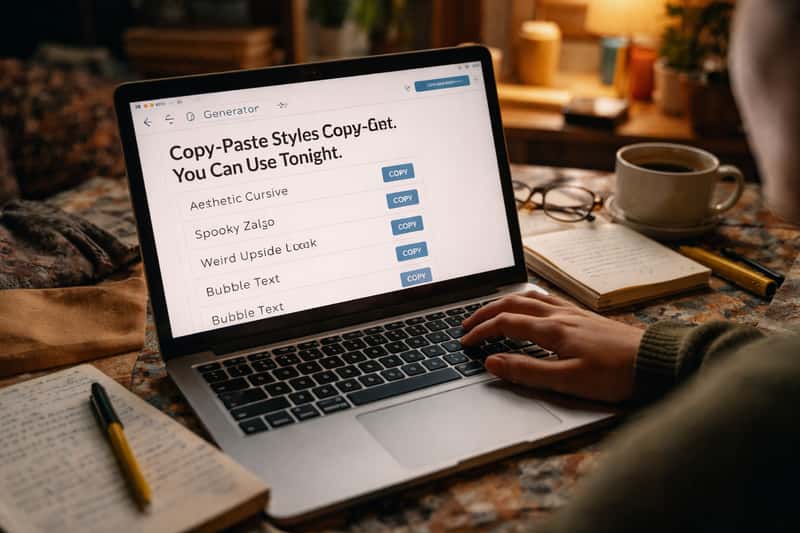
This is the deep bench. Each style below gets a before-and-after so you see exactly what a plain name becomes, plus a one-line note on where it lands best. Tools like these run anywhere from 50 to 300-plus styles, so think of these five as the buckets worth grabbing first.
Cursive and Script
Smooth, looping letters that read classy without trying too hard. “Lauren” becomes 𝓛𝓪𝓾𝓻𝓮𝓷. The swap is obvious and instant. Best home: an Instagram bio or a bachelorette group chat name where you want pretty, not loud.
Bubble and Circled
Round, padded letters with a cute, friendly feel. “Lauren” becomes Ⓛⓐⓤⓡⓔⓝ. It reads playful and a little soft. Best home: TikTok captions and approachable usernames that don’t want an edge.
Gothic and Blackletter
Heavy, dramatic lettering. “Lauren” becomes 𝕷𝖆𝖚𝖗𝖊𝖓. It skews dark on purpose, which is the point. Best home: a gaming tag or a moody aesthetic where attitude matters more than legibility.
Glitch and Zalgo
The chaotic, cursed look built from stacked combining marks piled on top of each letter. “Lauren” becomes something like L̷a̴u̵r̶e̷n̸ with marks crawling everywhere. Great for a horror vibe or a Discord name that screams chaos. Heads up: this style breaks more often than any other on this list, so read the compatibility section before you commit.
Upside-Down, Mirrored, and Small Caps
Three quick inversion-and-shrink tricks. Upside-down flips your text: “Lauren” becomes uǝɹnɐ˥, perfect for a prank-y bio line. Small caps shrinks it to understated flair: “Lauren” becomes ʟᴀᴜʀᴇɴ. Mirrored sits between the two for a subtle off-kilter look. Keep these short; long strings get unreadable fast.
Where Each Style Lands Best
Picking a style is easier when you match it to the platform your friends actually scroll. Here’s the quick rundown.
| Platform | Best styles | Why it works |
|---|---|---|
| Instagram bio | Cursive, small caps | Clean, classy, renders reliably in the bio field |
| TikTok captions | Bubble, cursive | Playful tone fits the feed, pops on mobile |
| Discord names | Gothic, glitch | Edge and chaos read as personality, not noise |
| Gaming tags | Gothic, small caps | Attitude that mostly survives username fields |
| Group chat names | Cursive, small caps | Safe bets that render across most phones |
Cursive and small caps are your low-risk picks. Glitch and gothic carry the most attitude but gamble on rendering. Choose by where it’ll be seen, not just how it looks in the preview box.
How to Pick a Style That Fits Your Vibe
Scrolling 200 styles is how you end up picking nothing. Sort by personality instead and you’ll land on one in under a minute. Quick filter as you scroll: if a style is hard to read at a glance in the preview box, it’ll be harder to read in your bio, so the cleaner the letters look, the safer the pick.
Playful, Edgy, or Classy
Three buckets, pick your lane:
Playful leans bubble and cursive. Soft, friendly, a little cute, the energy you want on a TikTok caption or a group chat full of inside jokes.
Edgy leans gothic and glitch. Heavy letters and chaos marks read as attitude, which is why they own Discord servers and gaming tags.
Classy leans small caps and clean script. Understated flair that says you put thought in without shouting, ideal for an Instagram bio you want to look intentional.
Grab the bucket that matches your mood, then test one style from it. Done.
Where Strange Text Breaks (Platform Compatibility)
Most styles ride Unicode and copy-paste fine. Some don’t, and they fail in the most public way possible: as empty boxes or question marks right where your name should be.
The honest breakdown: cursive, bubble, small caps, and upside-down are safe bets on modern phones and apps. Gothic is usually fine. Glitch and the more exotic decorated fonts fail the most, because they lean on stacked combining marks and rare characters that older devices and certain app bio fields simply don’t support. The rule is simple. The fancier and more chaotic the style, the higher the odds it blanks out somewhere.
iOS vs Android vs Desktop
iPhone renders most of these cleanly, including small caps and cursive. Android is the wobbler; rendering depends on the phone’s font set, so glitch and rare styles can blank out on older or budget devices. Desktop is the most consistent of the three. Copy-paste tip: long-press to copy on mobile, and always paste into the actual field before saving, not just the generator preview.
Where It Shows Up as Boxes
The empty box, that little rectangle or question mark, means one thing: the platform doesn’t have the character you pasted, so it shows a placeholder instead. There’s no fix except picking a more common style. Test your styled bio on your own phone first. If it shows boxes to you, it shows boxes to everyone.
Strange Text vs. Wingdings vs. Fancy Fonts
These three get blended together constantly, and grabbing the wrong one wastes your night.
A strange text generator restyles readable letters. Your name still reads as your name, just in cursive, gothic, or glitch. That’s what you want for a bio, a username, or a tag.
A wingdings translator does something else entirely: it converts your text into symbol glyphs, little pictures and shapes, mostly for decoding fun and puzzles. If you actually want to turn words into hidden symbols, head to the Wingdings translator instead, because that’s a different job from styling your bio.
“Fancy fonts” is just the umbrella term most generators use for the styled-letter output. Same idea as strange text, friendlier label.
Styling a Gamer Tag From Name to Finished Look
A great gamer tag is two moves: the right words, then the right styling. Most people nail one and skip the other, which is how you end up with a clever name in boring default text.
Start with the name. A dedicated PUBG name generator is the natural first stop here, handing you stylish name ideas built for that exact slot. Land on the words there, then bring them straight back here for the font treatment, and the two tools finish each other off. Watch a plain tag finish: “ShadowFox” becomes the gothic 𝕾𝖍𝖆𝖉𝖔𝖜𝕱𝖔𝖝 or the glitchy S̷h̴a̵d̶o̷w̸F̷o̴x̵, suddenly reading as deliberate instead of default.
Best Styles for Gaming Usernames
Gothic, glitch, and small caps carry the most attitude on a tag. Gothic looks menacing, glitch looks cursed, small caps looks clean and confident. The catch: many in-game name fields reject unsupported characters outright, and glitch is the first to get bounced for invalid input. Small caps and gothic survive more often. Test the tag in the actual game field before you fall in love with it.
When Not to Use Strange Text
Here’s the part most tool pages skip. Stylized Unicode confuses screen readers and tanks readability, so it has no business in a resume, a professional email, a job application, or anything that matters. Accessibility tools can read it as gibberish or skip it completely, which means real people miss your words.
Keep decorative styles where they belong: short bios, nicknames, captions, group chat names. Never full sentences; a paragraph of glitch text is a wall nobody reads. A little goes a long way, and a styled name next to plain readable text always beats the whole thing dressed up.
Your Move
Open a generator, paste your name, and try three styles in the buckets that match your vibe before you settle. Test the winner in the actual bio or tag field on your own phone. If it shows up clean, you’re done: a styled name sitting in your Instagram bio, Discord handle, or gaming tag tonight, looking deliberate instead of default and pulling the eyes you wanted.
FAQs about strange text generator
What is a strange text generator and how does it work?
It’s a free browser tool that swaps your normal letters for lookalike Unicode characters, turning plain text into cursive, gothic, glitch, or bubble styles you can copy and paste anywhere.
Is a strange text generator safe to use online?
Most just manipulate text in your browser with no login or account, so they’re generally safe. Use common sense and don’t paste sensitive personal information into any random site.
How do I copy and paste strange text into Instagram, TikTok, or Discord?
Type your text, tap or click the style you want to copy it, then paste it directly into the bio, caption, or name field. On mobile, long-press to copy.
Why does my strange text show up as boxes or question marks?
The platform or device doesn’t support those specific Unicode characters, so it shows a placeholder box instead. Glitch and exotic styles cause this most; switch to a more common style to fix it.
What’s the difference between strange text, Zalgo text, and fancy fonts?
Strange text and fancy fonts are the same umbrella idea: restyled readable letters. Zalgo is one specific style inside that, the chaotic glitch look built from stacked combining marks.
Can strange text generators be used for usernames and gamer tags?
Yes, and they pair naturally with a PUBG name generator: get the name idea there, style it here for a finished tag. Just know that some in-game and app name fields reject unsupported characters, and glitch styles get rejected most often.
Do strange text generators work on mobile as well as desktop?
Yes, they run in any phone browser. Desktop renders most consistently, iPhone handles most styles cleanly, and Android can blank out rare styles depending on the device’s font set.
How many styles can a typical strange text generator create?
Most offer anywhere from 50 to over 300 styles, including cursive, bubble, gothic, small caps, upside-down, mirrored, and glitch, all previewed live and copy-ready.
Are there readability or accessibility issues with strange text?
Yes. Stylized Unicode can confuse screen readers and reduce legibility, especially at small sizes. Keep it to short nicknames and bios, never full sentences or important documents.
Can I generate strange text without internet or offline?
Most generators are web-based and need a connection to load, though the styling itself happens in your browser. Once a page is loaded, many will keep converting without reloading.